

by Team Tradify, September 3, 2026

If your business still runs on WhatsApp group chats, paper notes, and Excel sheets, you already know how easily things slip through the cracks. Field service software brings quoting, scheduling, job management, and invoicing together in one app on your phone.
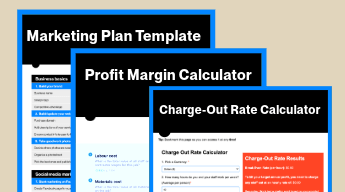
Check you're making a profit on every job with our free profit margin calculator

- What’s "field service software" and "job management software"?
- How to choose the right field service software
- Service scheduling is where you’ll feel the most difference
- Mobile access isn't a nice-to-have. It's the entire point.
- Field service software pricing varies more than you'd expect
- Integration with your accounting software matters
- Choose software that fits the size of your business
- A field service software comparison should include the trial, not just the features list
- The best time to switch is before you actually need to
- Where Tradify fits in
1. What's the difference between 'field service software' and 'job management software'?
'Field service software' and 'job management software' mean roughly the same thing, but they emphasise different ends of the job.
Field service software: more about tracking your team's location, dispatching jobs, and managing schedules across multiple sites.
Job management software: often includes field services management as well as quoting, invoicing, job tracking, and customer records.
Whether you're a sole trader or running a few vans, you want both sides covered. Most platforms built for trades already do both, and Tradify is one of them. It handles the scheduling and dispatch side of field service software as well as the quoting, invoicing, and customer management side of job management software, all in one place.
2. How to choose the right field service software
There are many field service software options to choose from, and we recommend starting with one that's made for mobile phones. If you can't quote, log a job, or fire off an invoice from your phone while you're still on site, it's not pulling its weight. Next, make sure you find scheduling jobs easy, and that you can see your team's job location at all times.
Then there's the cost, and it's rarely just the sticker price – make sure you check what's in the base plan, how the price adds up as you add more people to the app, and whether there's a setup fee hiding in the small print.
Your software also needs to talk to your accounting software, or you'll be keying everything in twice. And it needs to actually suit your business, since a tool built for big commercial contractors will feel like overkill if you're running a small trade business, and vice versa.
3. Service scheduling is where you’ll feel the most difference
If you’re a sole trader, scheduling's generally easy. Jobs and records can go into your diary or notes. But once you've got two or three people across different sites, things can get downright messy fast. Who's going where? Who's got the right parts? Who's closest to the emergency callout?
Field service software comes with a scheduler, an easy-to-use calendar accessible to everyone on the job, and maybe also a map view. This means everyone knows what’s going on without having to make calls everywhere the entire day.
It helps with curveballs too. Jobs run over, customers cancel, and you can update everyone on the go within the app without having to call anyone or use the WhatsApp group chat (where someone always misses a message).
See how Tradify's scheduling software works for trade businesses.
4. Mobile access isn't a nice-to-have. It's the entire point.
Mobile workforce management, or simply mobility, is what separates real field service software from a glorified accounting tool. If you can't quote a job, log your hours, or fire off an invoice to your customer from your phone while you're still standing in the customer's driveway, your app ain’t pulling its weight.
Good platforms are built for mobile phones, so they work on the go, often one-handed. Snap a photo, chuck in a voice note, pull up a customer's job history while you're standing in their kitchen sussing out the problem.
And here's the big one – field service software lets you knock out the invoice before you've even packed up the ute. Customers get charged for the job while they still remember it, and you don’t have to work papers on the couch after dinner.
5. Field service software pricing varies more than you'd expect
Field service software pricing is almost always per user, per month. You're looking at roughly £20 to £60+ per user at the lower end, and bigger business platforms will sting you a fair bit more.
A few things to keep an eye on when you're comparing:
- What's in the base price? Some platforms slug you extra for things like accounting integrations, certificate generation, or customer portals – stuff that should have been included in the base price.
- Does it get pricier as your crew grows? A tool that's cheap for one user can blow out fast once you add a second or third bloke to the team.
- Is there a free trial? Most decent platforms give you one. If they don't, that's a bit of a red flag.
- Any setup or onboarding fees? Some of the big enterprise tools charge you just to get up and running. The ones built for small trade businesses usually won't hit you with that.
The honest answer on whether it's worth it: if the software saves you a couple of hours a week on admin, quoting, invoicing, and chasing payments, it pays for itself pretty quickly at most price points in the form of more time for family, friends, and for yourself.

6. Integration with your accounting software matters
Most trade businesses are already using accounting software like Xero, QuickBooks, MYOB, and Sage. So, it’s fairly important that your field service software links to your preferred accounting software.
Without that link-up, you're going to have to key in everything twice. That means keying in the same job, the same invoice, and everything else on two different apps. That's the faff you want to avoid.
With a proper link-up between your two apps, an invoice you raise in the field syncs straight through to your accounting software. Your bookkeeper or accountant gets clean numbers, and you don't have to touch it again.
7. Choose software that fits the size of your business
The right field service software depends a lot on how big your operation is. A sole trader or a small crew doesn't need the same tool as a business with a hundred-strong workforce spread across multiple sites. If you're small, you want something quick to set up and simple to use, not a platform built to handle complex stock and asset tracking you'll never touch.
The trades-specific platforms tend to get this. They'll handle your compliance certificates and safety inspections without a fuss, understand that a plumber's diary doesn't look like a facilities manager's, and have quoting templates that make sense for a job that starts with a site visit and ends with a variation. The bigger, more generic platforms are usually built with a different customer in mind, and it shows.
See if Tradify's the right fit for your business — book a free demo and find out.
8. A field service software comparison should include the trial, not just the features list
Features often look the same across different field service software. The only way to know for sure is to try it out, but you'll know instantly if it feels like the best tool for the job. The right app will make you feel like you can invoice the job on your way back to the van.
Things to test during a trial:
- Does the mobile app work the way you'd expect, or does it feel like a desktop site squeezed onto a phone?
- How long does it take to build a basic quote from scratch?
- Can you create a new job without help?
- Can you add customer information easily?
- If you do need help, is there a human to talk to, or just a bunch of reading?
Your experience using it will tell you whether it’s the right one. If it's a pain to get started, it's usually a pain to use.
9. The best time to switch is before you actually need to
Most trade business owners switch to field service software when they reach a breaking point. A missed job, an unbilled client, a customer complaint that could have been avoided. The irony is that switching when you're already stretched is the hardest time to do it.
The right time to switch is actually when things are still manageable. That way you have time to set it up, learn it properly, and have it running in full gear before busy season hits.
If you're reading this thinking "Nah, my system ain't broke," that's exactly the right time to have a look.
10. Where Tradify fits in
Tradify is built specifically for trade businesses. It’s for electricians, plumbers, gas engineers, HVAC, and property maintenance crews. It covers quoting, scheduling, invoicing, and mobile job management in one place, with integrations for Xero, QuickBooks, MYOB, and Sage.
Technology alone can't fix a broken process either. Consistent, real-time data entry in the field is the foundation of accurate job costing. Always run a proper trial with your field team before committing to any platform.
Ready to give Tradify a go?
Start a 14-day free trial. No credit card required. No pressure. Or jump on one of our weekly 30-min live demos as we show you Tradify in action.

How To Get HVAC Contractor’s Licence

How Much Do HVAC Business Owners Make?

Electrician Business Owner's Salary: How Much Can You Earn?
Give Tradify a go for free!
Save 10+ hours/week on business admin with the highest-rated job management software for tradespeople.
With free one-on-one training and phone support, it's never been easier to get started.
